verio.dev
VS Code extension · IEC 62304 · ISO 14971

Design controls, written like a document. Reviewed like code.

Verio turns the YAML behind a medical-device software release into something you read and write — requirements with full traceability, the planning documents, architecture, SOUP and the risk analysis. One file. Every edit a minimal diff.

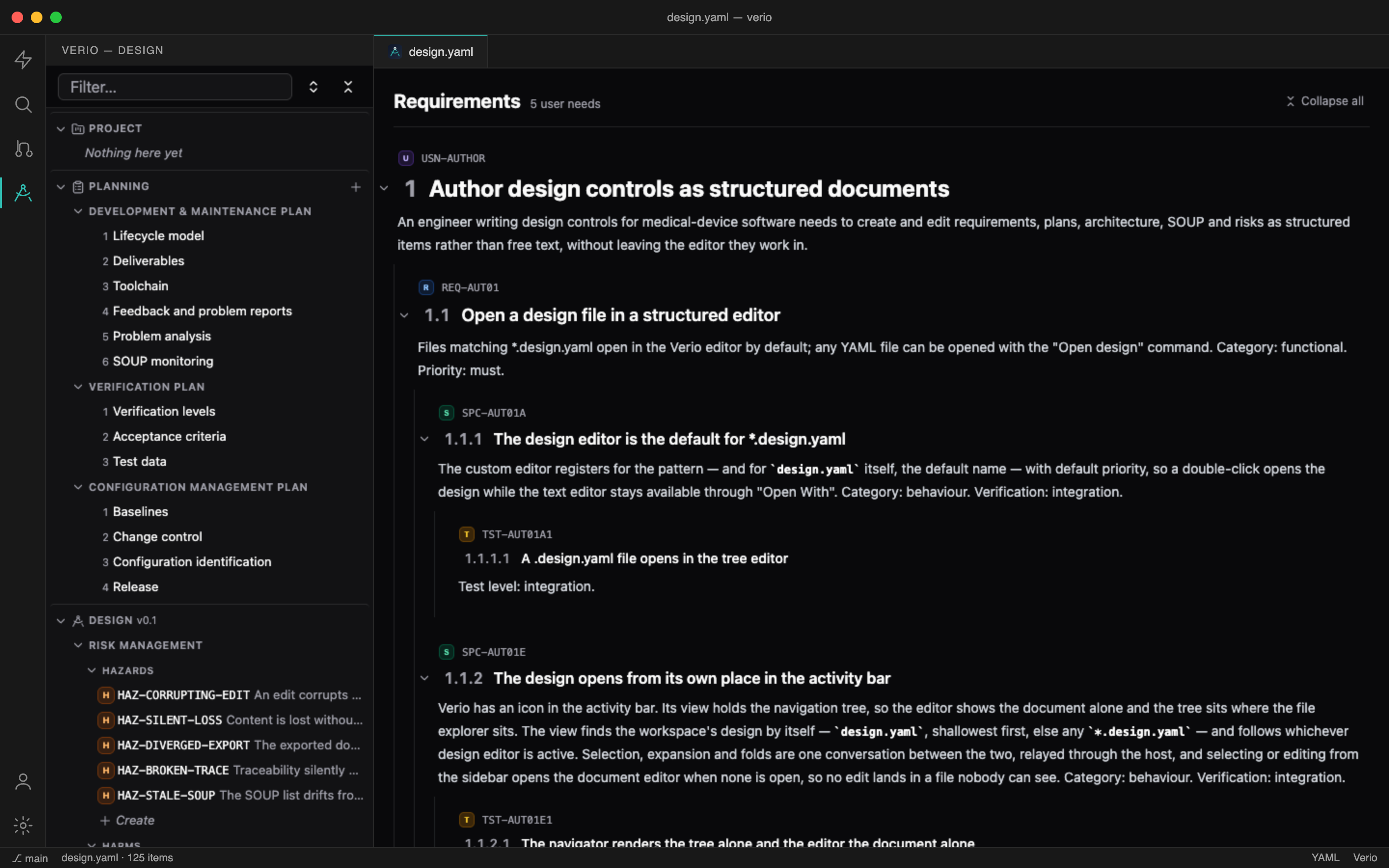
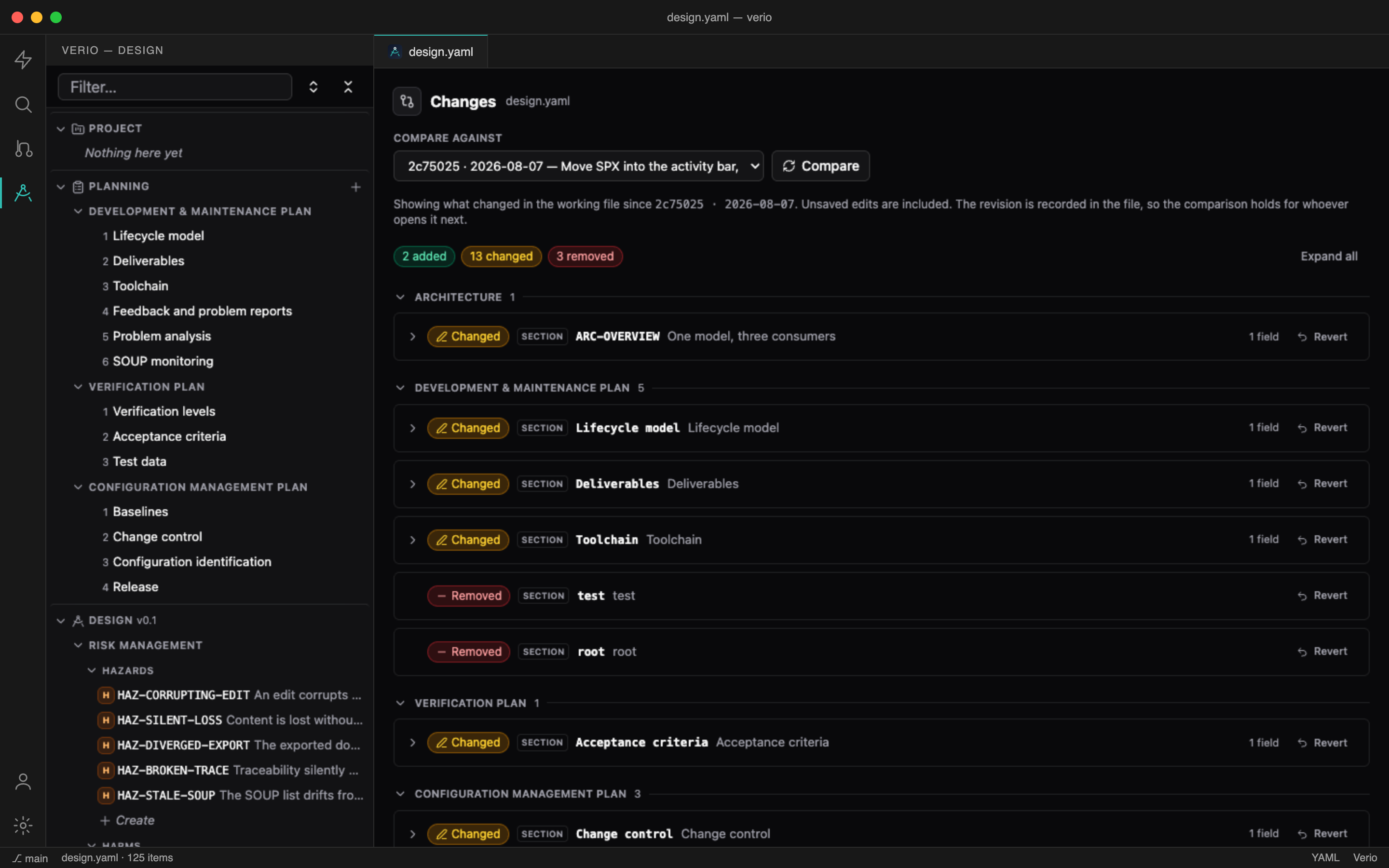
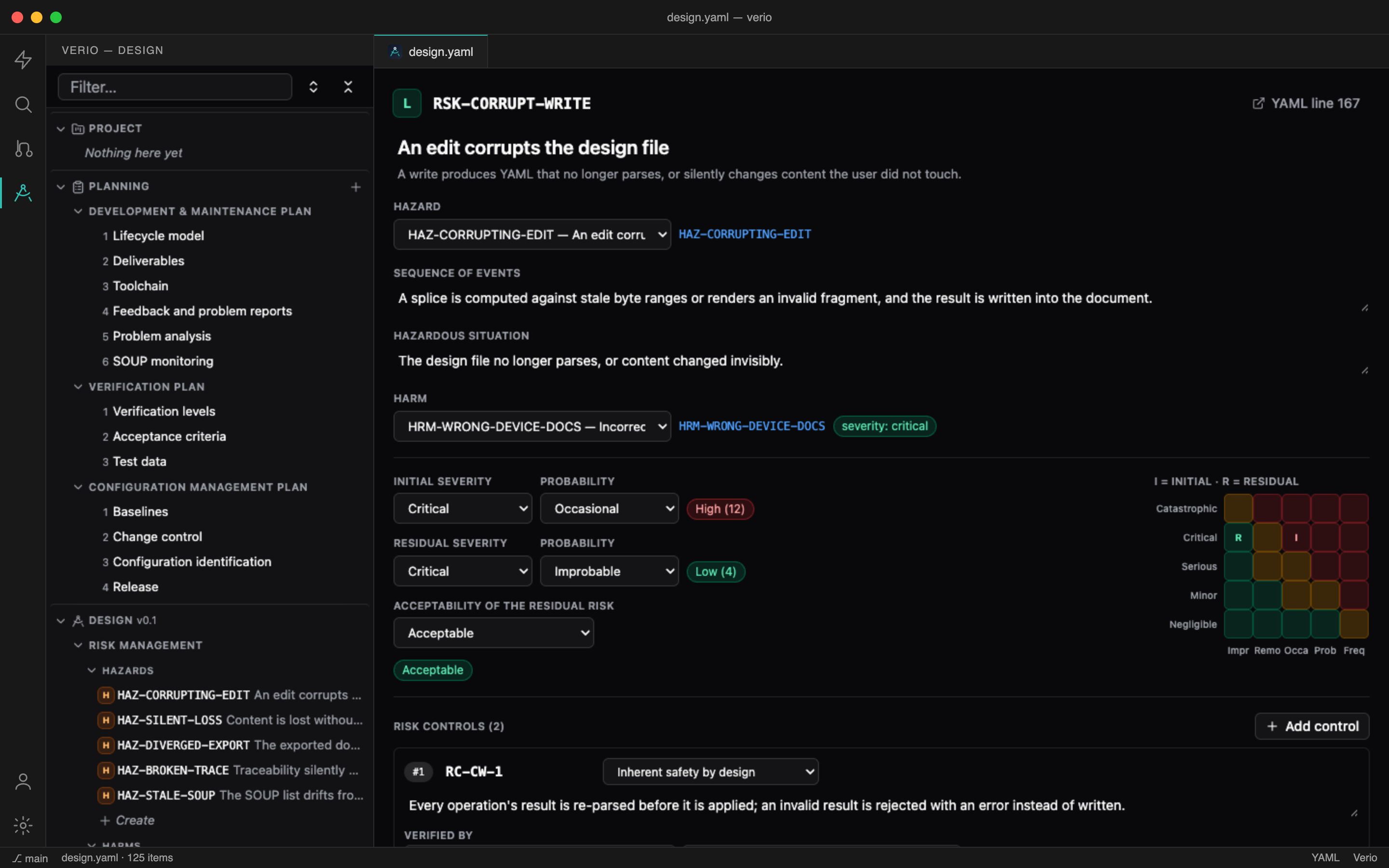
Verio in VS Code: the navigation tree in the sidebar and the requirements document in the editorThe Changes view: a design-level diff against a chosen revision, with a revert per changeA risk in the ISO 14971 analysis: hazard, sequence of events, severity × probability before and after controls, and the 5×5 matrix

Plain YAML under git — described by JSON schemas, exported to a numbered PDF by the verio CLI, and never rewritten by the editor.

Minimal diffs, always

Edits are spliced into the YAML using the parser’s byte ranges. Untouched lines stay byte-identical, comments and block scalars survive, and a one-line edit is a one-line diff — the review is the diff.

Documents, not forms

Requirements and plans read as one scrolling document — numbered by position, foldable to an overview, edited in place with live markdown, the caret where you clicked.

Created at the seams

Hover between two items for the line with a plus. Where levels meet, the pointer picks the level. Nothing opens a dialog.

ISO 14971 risk management

Hazards and harms defined once and referenced by risks; severity × probability with a 5×5 matrix; control measures that cite the requirements verifying them.

SOUP that fills itself

The IEC 62304 SOUP list is scanned from your project’s own dependencies and refreshed on demand — versions, licences, anomaly lists.

Changes against any revision

A design-level diff against a git tag or commit: what was added, removed, changed or moved — word-level highlights, one-click revert, and the baseline recorded in the file itself.

Open the workspace. The design is already there.

Verio sits in the activity bar and finds yourdesign.yaml by itself. An empty file is a valid starting point — the first item you write creates its section.